
1.At sign-up: an optional checkbox
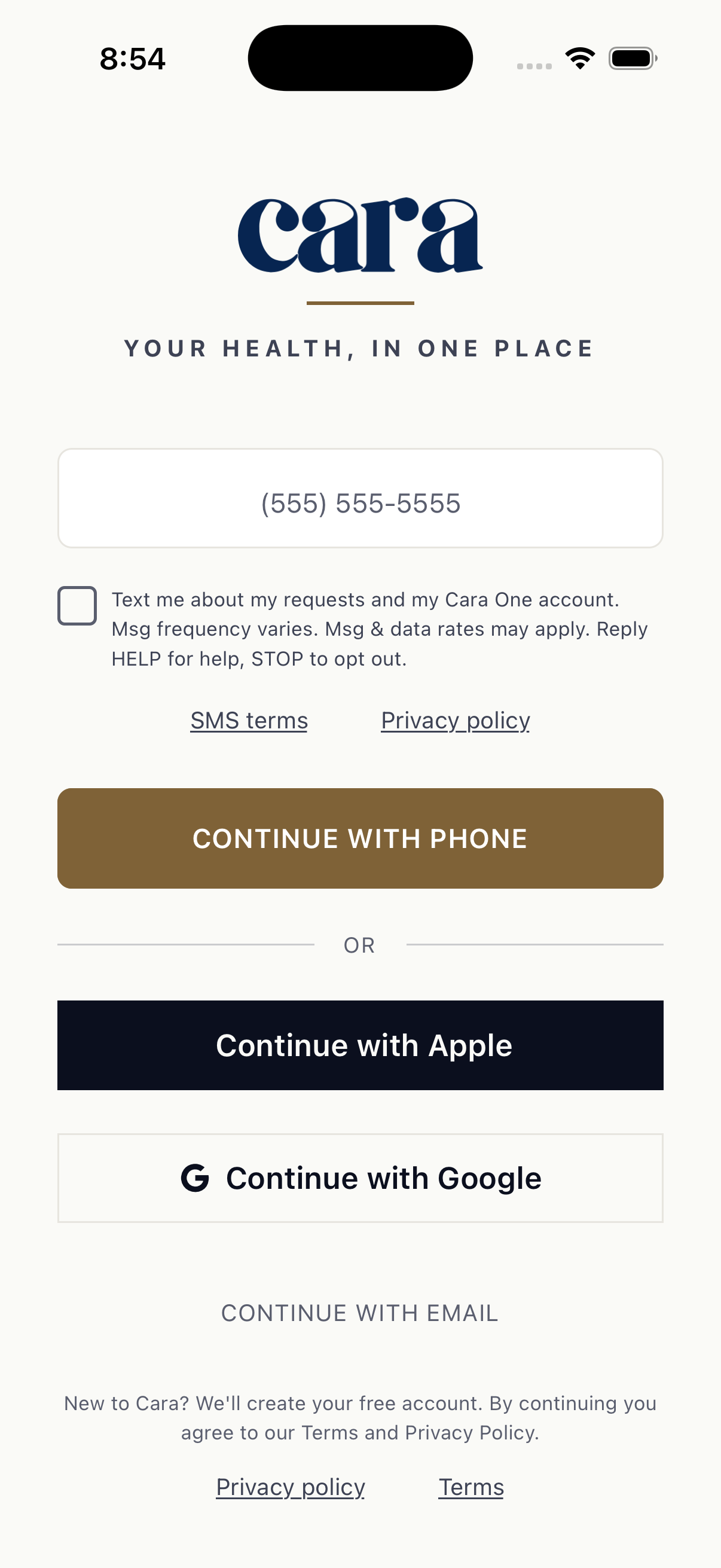
A person signs up in the Cara One app with their mobile number and confirms it with a one-time code. Between the number field and the Continue button is a checkbox. It is not checked by default, and signing up works the same whether or not it is checked. The one-time sign-in code is sent either way. The checkbox says:
Below it are links to our SMS terms and our Privacy Policy. Only a member who checks the box is opted in.
2.Later: a switch in Settings
Members can turn texts on or off at any time in the app, in Settings, under Texts from Cara. The switch is off by default, and it shows the same words as the checkbox.
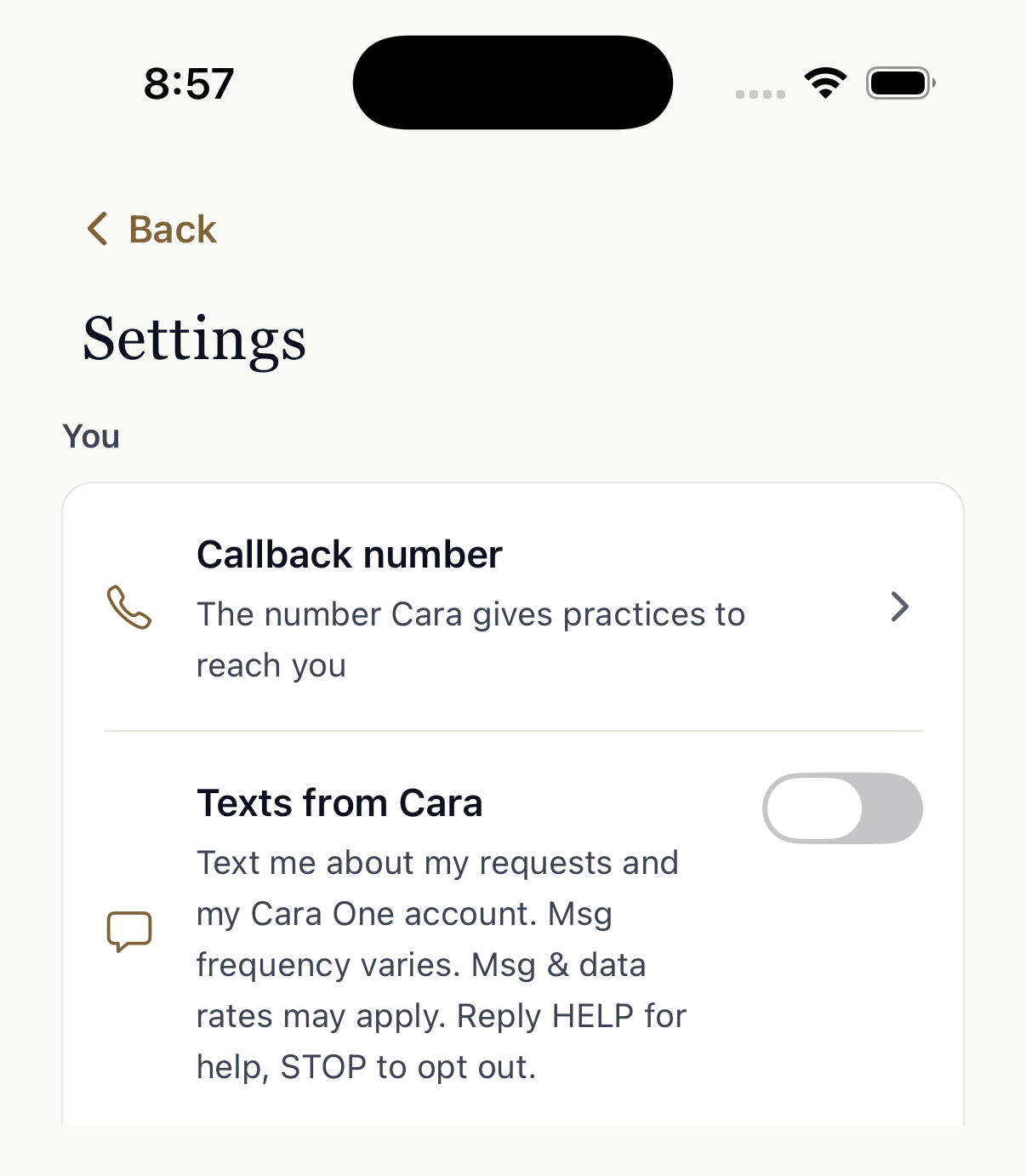
Members can also ask Cara in the app’s chat to turn texts on or off. This changes the same setting.
3.What members get
Members who opted in get texts from Cara One about their requests and their account:
- Replies to the messages they send us
- Updates on requests they made, such as a booked appointment
- Something Cara One needs from them to finish a request
- Reminders they asked Cara One to set
- Notices about their Cara One account
No marketing. No health details in texts; those stay in the app. Message frequency varies. Message and data rates may apply.
4.STOP and HELP
Reply STOP to any text to stop all texts from Cara One, and START to get them again. Reply HELP for help, or email hello@caramedical.com. The full program terms are on our SMS terms page.
5.Your privacy
We do not share your mobile phone number or your consent to receive text messages with third parties or affiliates for marketing or promotional purposes. Text message opt-in data and consent are not shared with any third parties, except the text message providers that deliver our messages for us. See our Privacy Policy.